After five years of silence, DOOM: The Dark Ages has arrived. The series’ signature destructive visual spectacle is breathtaking, but the standardization of ray tracing has made this an incredibly demanding title for mid-range GPUs like the RTX 3060.
“I don’t want to sacrifice visual quality, but I need smooth performance.”
To fulfill that seemingly impossible wish, this article thoroughly analyzes the performance impact of each graphics setting and delivers our optimized configuration. The bottom line: our recommended settings combined with the right upscaler can boost framerates by over 70% with virtually no visual degradation.
We’ve included custom interactive graphics comparison sliders and performance charts so you can see the results for yourself and judge whether these settings work for your rig.
Graphics Comparison
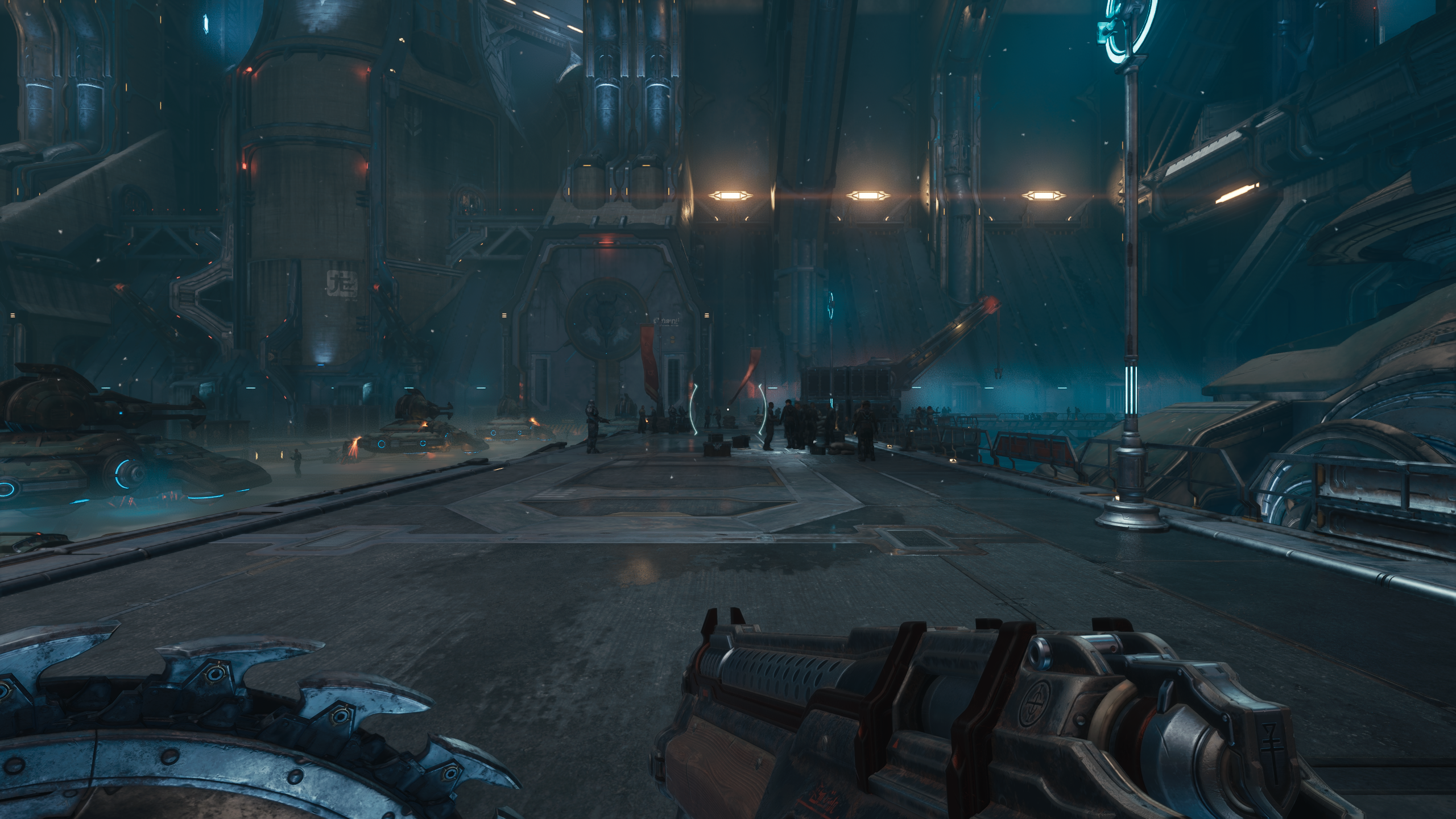
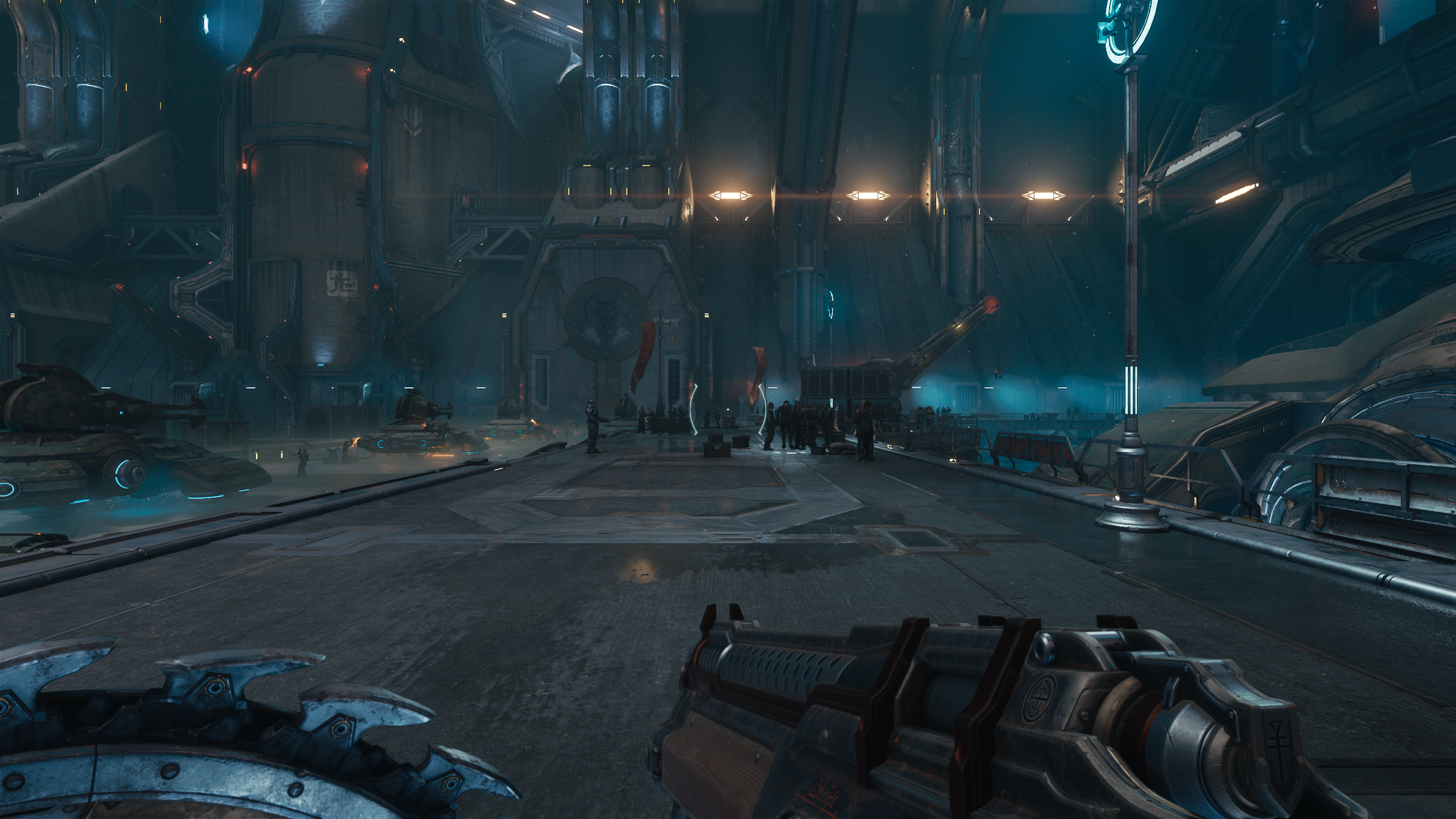
▲ You can move the slider left and right.
Using our interactive comparison slider, you’ll notice that the most significant difference between the game’s maximum Ultra Nightmare preset and Hottware’s optimized settings lies in the accuracy and quantity of reflections. That said, reflections on primary objects remain intact, so our recommended settings still look visually coherent when viewed in isolation.
Other minor differences include shadow and lighting quality, but these don’t drastically alter the overall atmosphere of a scene. More importantly, DOOM is an incredibly fast-paced game—you’re unlikely to notice these visual trade-offs during actual gameplay.
Performance Comparison
| Preset | Avg | 1% Low | Gain |
|---|---|---|---|
| Ultra Nightmare | 45 | 36 | 0% |
| Nightmare | 45 | 36 | 0% |
| Ultra | 45 | 37 | 0% |
| High | 47 | 38 | +4% |
| Medium | 51 | 42 | +13% |
| Low | 62 | 48 | +38% |
| Optimized | 54 | 44 | +20% |
| Optimized + DLSS Quality | 77 | 59 | +71% |
Benchmark
- Version
- 1.9.43.0
- Benchmark
- Built-in benchmark
- Test date
- 2026-01-19
Test Rig
- CPU
- Ryzen 5 7600
- GPU
- RTX 3060
- RAM
- 32GB DDR5-6000
- Storage
- Gen4 NVMe SSD
- OS
- Windows 11
- Driver
- 591.59
Benchmarking on an RTX 3060, our optimized settings deliver a 20% increase in average framerate compared to Ultra Nightmare—and surprisingly, they outperform even the “Medium” preset.
However, this is a bleeding-edge title, and even at 1080p “Low” settings, the game struggles to maintain 60fps during intense scenes. The real bottleneck is the “1% Low” framerates, which cause the stuttering and hitches that ruin immersion.
Interestingly, we found no meaningful visual or performance differences between Ultra and Ultra Nightmare presets.
The Upscaler Advantage
This is where upscaling technology becomes essential. The implementation in this game is excellent—especially DLSS, which delivers an additional 50% performance boost with minimal image quality loss. Pairing our optimized settings with DLSS keeps you at buttery smooth 60+ fps even during the most chaotic firefights. While DLSS produces the best image quality, AMD FSR and Intel XeSS are also available for non-GeForce GPUs. If you need every frame you can get, don’t hesitate to enable the upscaler that matches your hardware.
Below is our detailed settings chart. Apply these directly and see the difference.
Settings Table
Graphics Settings
| Setting | Value |
|---|---|
| Texture Pool Size | 2048 |
| Shadow Quality | Low |
| Reflections Quality | Low |
| Lights Quality | High |
| Particles Quality | Ultra |
| Decal Quality | Ultra |
| Water Quality | Low |
| Volumetrics Quality | Low |
| Texture Filtering Quality | High |
| Geometric Quality | High |
| Shading Quality | Medium |
| Directional Occlusion | Low |
At Hottware, we calculate optimized settings by prioritizing reductions in graphics options that are barely noticeable during actual gameplay, or those whose visual benefit doesn’t justify their heavy performance cost. This delivers the best balance between fidelity and framerate.
DOOM: The Dark Ages is a high-octane action game. For this reason, we’ve prioritized performance over fine details like reflections and shadow quality, setting those to Low. Fortunately, even at Low settings, the game maintains impressive visual quality, so the impact on your overall experience is negligible.
While this isn’t a VRAM-heavy game, we recommend setting the Texture Pool Size to 1536 if you’re using a GPU with 8GB or less. Conversely, if you have performance headroom, consider increasing Reflection Quality or Water Quality first.
FAQ
Q.Can I play on older GPUs like the GTX series?
DOOM: The Dark Ages requires ray tracing hardware, so it is not playable on GeForce GTX cards or AMD Radeon RX 5000 series and older.